
Early macOS tests show Siri AI is more useful but still limited
The Verge found Apple’s new Siri AI can summarize and calculate from files, but struggles with Mac workflows outside Apple’s apps.
By Hana Yoshida · Markets Reporter
3 min read
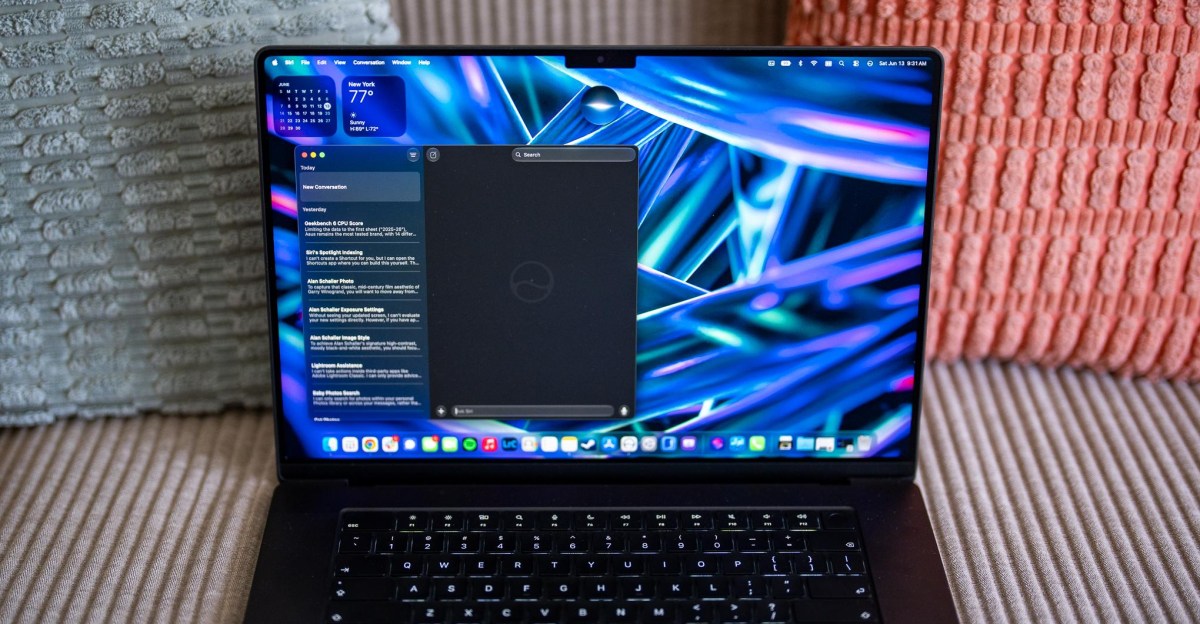
Early testing of Apple’s new Siri AI on macOS 27 Golden Gate shows a more capable assistant, while also exposing limits that matter for Mac users who work across many apps. The Verge’s Antonio G. Di Benedetto reported that the system helped with some file-based tasks but stumbled on automation, spreadsheets and non-Apple photo libraries.
Di Benedetto tested Siri AI for a little more than 24 hours in the macOS 27 developer beta on an M5 MacBook Air and an M5 Max MacBook Pro, according to The Verge. He said the feature is still in an early preview state and could change before its expected release later this year.
The report said macOS did not show the same indexing-status notice found in the iOS 27 developer beta. When Di Benedetto asked Siri whether indexing was finished, it directed him to a settings button that he said was not present.
Mac workflows exposed the gaps
The Verge reported that Siri AI could open apps but could not carry out actions inside them during tests. Di Benedetto tried to use Apple Intelligence in Shortcuts to automate laptop benchmarking in Geekbench and Cinebench, asking it to run tests, capture screenshots and repeat the process.
The generated Shortcuts did not complete the benchmark runs, according to the report. One opened Geekbench and took screenshots without running the test, while another created a Cinebench workflow that required the user to run the test manually.
Siri performed better when asked to work with selected files in Finder, The Verge said. Di Benedetto selected groups of benchmark screenshots and asked Siri to calculate averages, a task similar to an Apple WWDC demo that showed Ask Siri analyzing local files through Spotlight.
In several cases, Siri separated single-core CPU, multicore CPU and GPU results and returned tables of averages, according to The Verge. The report said accuracy dropped when the screenshots included too many kinds of tests or mixed score-based benchmarks with time-based results, and Siri sometimes pulled the wrong figures from Cinebench ranking data.
Apple apps worked better than outside services
The Verge found that Siri’s search results leaned toward Apple’s own apps. When Di Benedetto asked it to find images of cats or babies, the assistant returned matches from Photos and Messages, but did not surface pictures stored in Google Photos, Signal or a local Lightroom Classic catalog, according to the report.
Visual Intelligence also showed limits, The Verge said. Siri could answer questions about what was visible on screen, but it could not inspect an entire Google Sheets spreadsheet unless all the relevant data was shown at once. When Di Benedetto downloaded the spreadsheet as an Excel file and asked Siri to identify the laptop with the highest single-core Geekbench score, it returned multicore data instead.
The assistant had mixed results in Lightroom Classic, according to The Verge. It suggested specific editing adjustments to make a black-and-white photo resemble the work of street photographer Alan Schaller, but later gave overly flattering feedback about the result. In another test using a Garry Winogrand photo as a reference, Siri recommended an exposure value that was already in use.
Di Benedetto concluded that Siri AI is the most useful version of Siri he has tried, while still falling short for heavier Mac work. The Verge said the experience may differ on iPhone, where more user data is likely to sit inside Apple’s own apps, compared with the broader mix of software and services common on Macs.
This story draws on original reporting from The Verge.