
macOS 27 beta adds display, UI and virtualization refinements
Apple’s Golden Gate beta adjusts Liquid Glass, adds 5K ultrawide support and expands virtualization tools, according to Ars Technica.
By Maya Lindqvist · Senior Technology Correspondent
4 min read
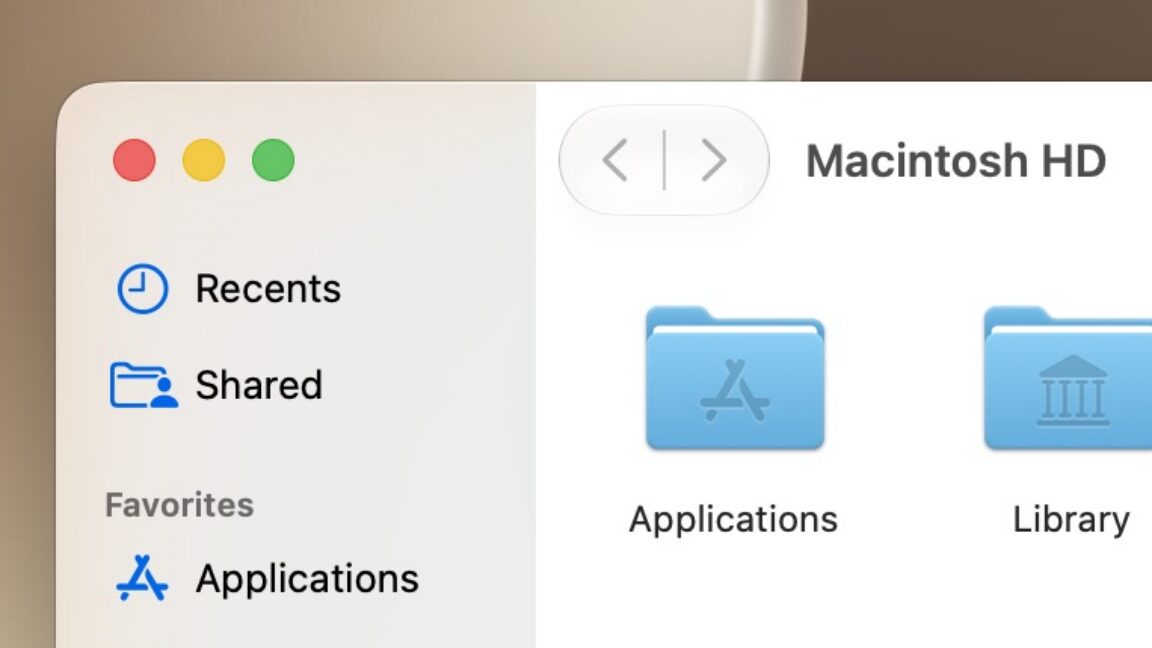
Apple’s first beta of macOS 27 Golden Gate includes a set of system changes aimed at readability, external monitor use, virtualization and general responsiveness. Ars Technica senior technology reporter Andrew Cunningham said the changes show Apple addressing complaints about macOS 26 Tahoe while keeping its Liquid Glass design.
Cunningham tested the early beta on an M1 MacBook Air, which he described as the oldest and slowest Mac still supported now that Apple has ended Intel Mac compatibility for the release. He cautioned that the software is still in an early state and that later betas, especially after the public beta planned for July, should be closer to the version Apple ships in the fall.
Liquid Glass gets more controls
Apple has not abandoned Liquid Glass in Golden Gate, according to Ars Technica, but it has changed how much of the translucent effect users see. The Appearance settings now include a slider for controlling Liquid Glass opacity, replacing the earlier Clear/Tinted switch Apple added in macOS 26.1.
Cunningham said Apple has also placed that choice in the macOS setup flow, allowing users to pick a look when upgrading or setting up a new Mac. He found that the most transparent setting can still create readability problems in places such as Control Center and volume or brightness overlays, where text can visually collide with text behind it.
The default setting and the more tinted option appear to reduce those issues, according to Ars Technica. Golden Gate also brings back stronger toolbar separation and sidebars that extend from the window edge to the content area, reversing some Tahoe-era styling choices.
Window corners are less rounded than in Tahoe, though still rounder than in the Big Sur-era design, Cunningham wrote. He also noted that Apple has removed many small SF Symbols icons from menu items, and said Apple’s updated Human Interface Guidelines now advise using menu icons sparingly.
External monitors and menu bar changes
Apple is adding native support for 5K ultrawide displays in Golden Gate, according to Cunningham. Apple did not specify an exact resolution, but Ars Technica cited displays in the 5120-by-2160 range as the kind of panel affected.
Cunningham said refresh-rate limits will likely depend on the Mac being used. He noted that M1, M2 and M3-series Macs that are limited to 60 Hz on standard 16:9 5K displays will probably stay limited to 60 Hz on these ultrawide panels.
Apple also says Macs will better remember window placement across multiple external displays, according to Ars Technica. That change is aimed at users who often connect and disconnect Mac laptops from one or more monitors.
Golden Gate adds a menu bar indicator for Ethernet connections, Cunningham wrote. The battery menu bar icon has also been redesigned so the percentage appears inside the battery symbol, similar to newer iPhones, saving menu bar space.
Virtual machines and performance
Apple is expanding its virtualization tools in macOS 27, according to WWDC developer sessions cited by Ars Technica. The changes include setting up user accounts, auto-login and SSH during virtual machine creation, along with USB passthrough, more advanced networking support, disk-image sharing through DiskImageKit and Virtio support.
Cunningham said apps that use Apple’s Virtualization framework, including VirtualBuddy and UTM, will need updates before they can use the new features. Apple has also introduced container machines, which Ars Technica said let users run Linux on a Mac with access to existing user files and quick switching between macOS and Linux commands.
Apple’s feature list also claims speed improvements across Safari scrolling, AirDrop discovery and transfers, lock-screen switching, user creation, network storage browsing and optical character recognition for photos and documents, according to Cunningham. He said many of those changes will be hard to measure in the first beta.
One feature Cunningham wants beyond the beta is broader support for Xcode 27’s new window tinting controls. Xcode can now use separate appearance themes and custom window colors, and Cunningham argued that a simpler version of that idea could fit across macOS if Apple avoids readability problems.
This story draws on original reporting from Ars Technica.