
ChatGPT can use information from open Chrome tabs
OpenAI says its updated Chrome extension can compare open tabs and carry out browser tasks, though key privacy details remain unclear.
By Hana Yoshida · Markets Reporter
2 min read
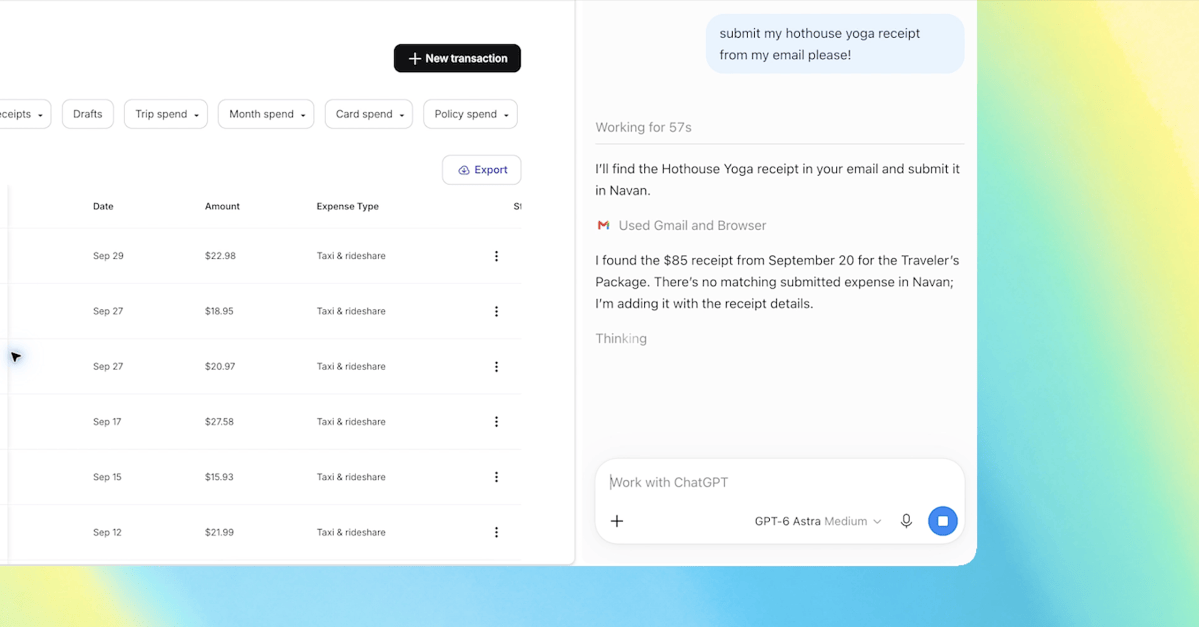
OpenAI says its updated extension lets ChatGPT use information from open Chrome tabs when a user tags Chrome in ChatGPT’s web or desktop app. The change could let users compare pages without copying material into a chat, but the available reporting does not spell out the permissions or data-handling terms that govern the feature.
According to The Verge, the ChatGPT Chrome tabs update was announced on October 15. OpenAI demonstrated the tool by asking ChatGPT to compare sofas shown across three open browser tabs.
What can ChatGPT do with Chrome tabs?
OpenAI’s stated tab-context feature allows ChatGPT to draw on information in open tabs after Chrome is tagged. In sample prompts cited by The Verge, OpenAI suggested using it to put vendor prices, product features and source links into a comparison sheet, or to compare contractor services and prepare an email to a selected company.
Those examples describe using page information as context for an answer or a draft. They are separate from the company’s claims about ChatGPT Work, a mode OpenAI says can perform actions in Chrome.
According to The Verge’s report, OpenAI said ChatGPT Work can control browser tabs to send messages, complete forms, download files, and organize or group tabs. One sample prompt involved completing a dentist-registration form and adding the appointment to work and personal calendars. The reported prompt instructed the system to stop before submitting the form.
What changed in ChatGPT’s Chrome sidebar?
OpenAI also updated ChatGPT’s sidebar for Chrome, The Verge reported. The company said users can access Chat or Work beside the page they are viewing, with their ChatGPT conversation history available there.
The sidebar is an in-page interface, while the open-tab feature is intended to let ChatGPT use material from more than one tab. The Work functions described by OpenAI concern carrying out browser tasks. The three capabilities can overlap in use, but they are distinct parts of the update.
What is known about privacy controls?
The supplied reporting establishes that OpenAI says ChatGPT can use open-tab information when the extension is installed and Chrome is tagged. It does not establish the precise permission prompts, whether every open tab or site is included, the opt-in process, availability by account or plan, or the rules for retaining or training on tab data.
Those unanswered details are relevant for people who keep sensitive material open in Chrome. Users considering the extension will need to review OpenAI’s current permissions and data policies before enabling features that use browser content or take actions in tabs.
This story draws on original reporting from The Verge.